
Developers Don’t Read Blogs Like They Used To, and that’s Not a Bad Thing
In 2025, a developer facing a bug won’t necessarily open a search engine. They'll ask Chatgpt. LLMs have become the first stop for quick answers, error explanations, and boilerplate code.
So, it’s easy to wonder:
If AI can answer almost anything, why would anyone read a developer blog?
The answer lies not in what AI can generate, but in what it can’t at least not convincingly:
- Real-world lessons
- Hard-won opinions
- Technical trade-offs
- Personal debugging war stories
Blogs aren’t dead. They’ve evolved. In this new era, developer content must go beyond surface-level tutorials and into territory AI can’t authentically replicate.
This article breaks down what kind of blog content still matters and how to make it resonate with today’s developers.
Are Dev Blogs Still Relevant in the ChatGPT Era? Yes, Here’s Why
Let’s face it: developers don’t Google error messages like they used to.
They don’t dig through forum threads or hunt through years-old blog archives for that elusive fix. More often than not, they’ll turn to an LLM like Chatgpt and get a workable answer in seconds.
So… does that mean developer blogs are dead?
Not even close.
But the kind of content that works has changed. Developers aren’t looking for generic tutorials or marketing fluff. They want real insight. They want real experience. And most of all, they want real value, the kind AI can’t always provide.
Here’s what keeps developers reading blogs in the AI era, and how you can write content that resonates.
Why Developers Still Read Blogs (Even in the AI Era)
For Thoughtful, Context-Rich Content That AI Can’t Fabricate (Yet)
A developer might ask Chatgpt how to configure a GraphQL server. But they’ll read a blog post when they want to understand why you chose GraphQL over REST, how that decision played out at scale, and where the pitfalls were.
Examples they value:
“Why we migrated from Firebase to Supabase and what we’d do differently”
“Lessons from scaling an event-driven architecture with Kafka”
“What actually broke when we upgraded to React 19”
This kind of nuanced, experience-based content is gold. It can’t be hallucinated or templated and devs can smell the difference.
You’ve probably read one of those blog posts before.
Then,
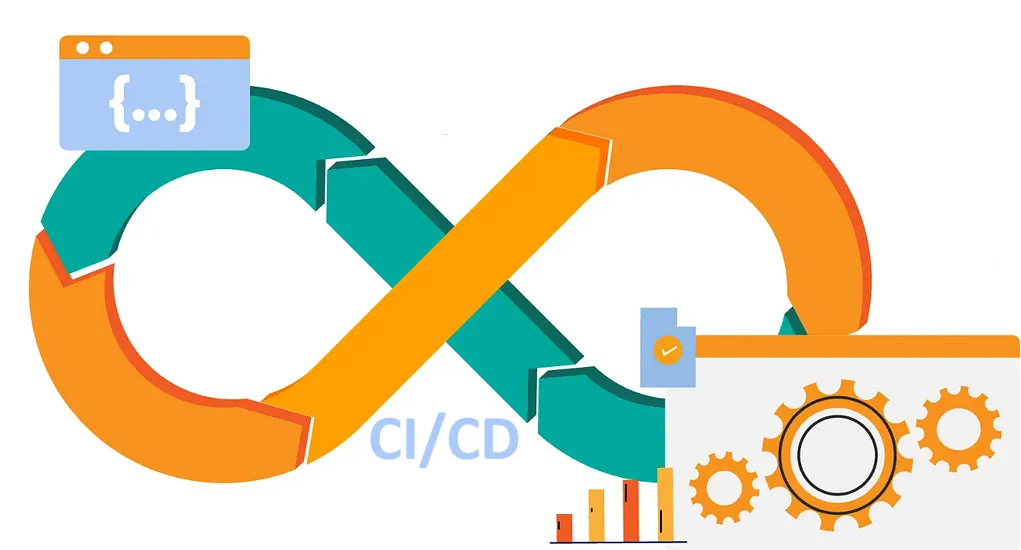
You click in, hoping for a simple fix, maybe how to resolve a dependency error or configure CI/CD.
CI: Continuous Integration
This means:
Developers frequently push (integrate) code to a shared repository (like GitHub). Every time code is pushed, automated tests run to make sure the new changes don’t break anything.
If something fails, the team gets notified immediately.
Think of it like:
"Hey, I just added a new feature. Before anyone else touches it, let's run some checks to make sure I didn’t break the app."
CD: Continuous Delivery / Deployment
This is the next step:
Once your code passes all the tests, it’s automatically prepared for deployment. With Continuous Delivery, the code is ready to go live, but a human usually presses the final “deploy” button.
With Continuous Deployment, the code goes live automatically after passing all checks.
Think of it like:
"As soon as it’s tested and safe, ship it! No waiting, no bottlenecks."
But instead, you’re greeted by three long paragraphs about “the rise of digital transformation in modern workflows.”
No solution. No code. No value.
Just frustration.
The truth? Most blogs targeting developers miss the mark. Not because the writer didn’t know what they were talking about, but because they forgot who they were talking to.
Developers don’t need fluff. They don’t need a motivational speech. They need answers fast.
So what makes developer content stick? What earns their trust?
Let’s break it down.
What Devs Want to See
Solutions to Real Problems
When a developer lands on a blog post, they’re usually not there to browse casually. They’re in the middle of building something, or something just broke. And now they need a solution, fast.
They’re typing error messages into Google, skimming forums, and opening five tabs in hopes that one will show them how to fix it.
That’s why the most appreciated content is laser-focused on real, painful problems:
- A confusing configuration
- A subtle bug in a package
- A platform-specific workaround
- Something that worked in docs but failed in practice
The more specific and real-world the issue you solve, the more likely your content get read, shared, and remembered.
Developers engage best with content that solves their problems and matches their skill level.
Tutorials or Walkthroughs
Step-by-step guidance is gold. When you're explaining how to set up a tool, integrate a service, or debug something, show exactly how you did it, from start to finish.
This isn’t just about writing instructions, it’s about walking with your reader like a teammate would:
What exact command did you run?
What version were you on?
What error did you hit, and how did you fix it?
Even better if your tutorial covers edge cases and includes what didn’t work before it finally did.
Developers don’t just want the happy path, they want the whole trail.
How-To Guides: Step-by-step instructions with troubleshooting tips and real-world applications.
Honest Opinions, Not Sales Talk
You don’t need to pretend everything went perfectly.
In fact, content that acknowledges real struggles, slow APIs, tricky SDKs, and missing documentation builds more trust than sugar-coated success stories.
Just be honest:
“We tried X, but Y worked better.”
“This integration was painful at first. Here’s what saved us.”
That kind of candor is rare and valuable.
Developers are early adopters. Their trust isn’t won with branding-it’s earned through usefulness and honesty.
What Turns Them Off
Too Many Buzzwords
“Revolutionize your scalable microservice orchestration using AI-powered data synergy.”
Please. No.
Devs can smell marketing copy a mile away. And when your content sounds like it was written by a chatbot trained on corporate whitepapers, they’ll bounce—fast.
Keep it simple. Use real words. Focus on the problem, not the pitch.
Jargon-heavy or visually unappealing content drives users away-even when the material is technically correct.
Over-Explaining Simple Things
If your post is aimed at mid-level React developers, don’t start by explaining what JavaScript is.
Yes, it’s tempting to “cover your bases.” But over-explaining things your readers already know makes them feel talked down to or worse, bored.
Instead, assume competence. When in doubt, link to beginner resources rather than explain every little term.
Developers engage best with content that solves their problems and matches their skill level.
Gated Content (Forcing Signups)
You’ve seen it: a promising article appears in search. You click-and BAM!
A wall saying: “Enter your email to continue reading.”
That’s how you lose developer trust.
Let them read first. Deliver value before asking for anything in return. If the content is genuinely helpful, they’ll happily sign up or subscribe later.
Content preferences are shifting away from long-winded, gated pieces into shareable, social-friendly assets.
How to Keep Them Interested
Add Value in Every Paragraph
Every sentence in your blog should serve a purpose.
Before you hit publish, scroll through and ask:
Does this paragraph help the reader understand something or do something better?
If the answer’s no, cut it. Devs don’t want filler. They’re busy, focused, and goal-oriented.
Content clarity and relevance were top predictors of trust and engagement.
Don’t Waste Their Time
Developers often have tabs open for Stack Overflow, logs, and your blog, all at once. They’re in triage mode.
Your post should feel like a quick win, not a lecture.
No fluffy intros. No abstract philosophies. Just:
- What’s broken
- Why it’s happening
- How to fix it
Then, if they want, they’ll stick around to learn more about the “why.”
79% of readers scan content rather than read word-for-word. Digestibility is critical.
Quick Format Tips
Even the best advice gets lost in bad formatting. Developer content must be scannable, because devs don’t read, they hunt for answers.
Use:
- Headings that summarize the section
- Bullet points for tips or checklists
- Code blocks with copy-paste-ready snippets
- Screenshots, logs, and diagrams where they help
- Callouts for warnings or caveats
Visual hierarchy helps developers navigate the page faster, especially on mobile or in high-pressure debugging moments.
Readability and visual structure significantly impact time-to-solution and reader confidence.
Conclusion
Be Helpful. Be Brief. Be Real.
You don’t need to be a poet, a thought leader, or a growth hacker.
To win with developer content, all you need is:
- A real problem
- A clear path to solve it
- A tone that says 'I’ve been there too'
Solve something useful today, and you’ll earn trust tomorrow. That’s how you go from just another blog… to the one they bookmark and share.

 Enlear